Triggers, runs, and notices
Pro — Workflows, including their triggers and runs, are a Pro feature. Upgrade in the app.
A workflow runs when you press Run, or when its selected automatic trigger fires. Choose one automatic trigger in Triggers. Switching types keeps each type’s saved settings, but only the selected type starts automatic runs. Older workflows with several configured triggers keep their settings when you choose which one is active. Manual runs stay available in the editor. Triggers run only while Termorq is open. A missed schedule is not replayed. One workflow has one active run. A second start is recorded as Skipped · already running. Two workflows may run at once.
Arm a trigger
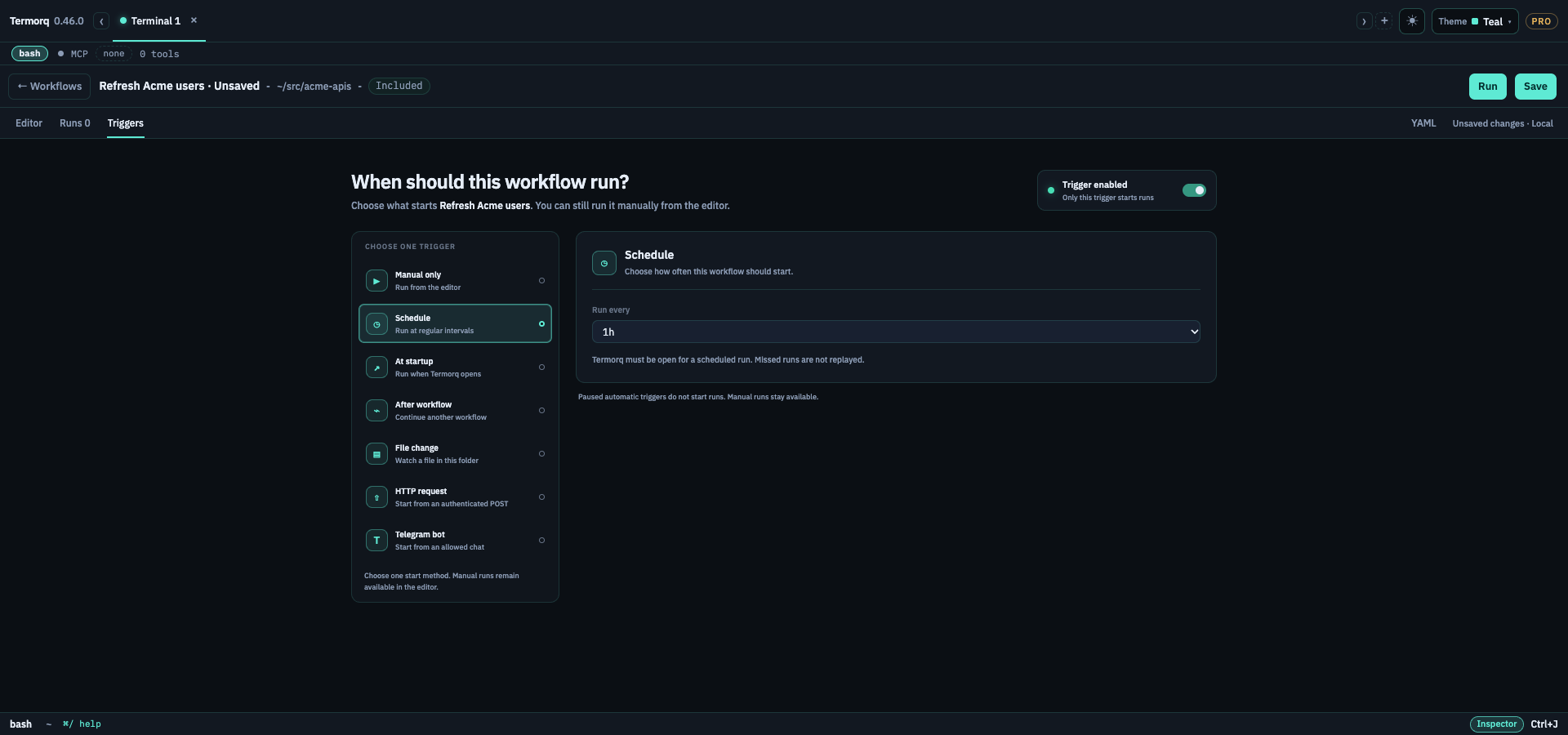
The first time you enable an automatic trigger, the page lists the HTTP calls, MCP tools, model connections, and secret names that run can use. Confirm arms it. Cancel leaves it off. A new call or a new secret name asks again. Run does not ask.
Pause triggers stops those starts. Run still works.
| Trigger | What it does |
|---|---|
| Manual | Run on the page, @flow, or termorq-cli workflow run |
| Schedule | 1m, 5m, 15m, 30m, 1h, 1d, or a 5-field cron. The gap is at least one minute |
| At startup | Once, when the app process opens |
| After another workflow | When that workflow finishes with success, failed, or any |
| File | A change inside the workflow folder, debounced by 1.5 seconds. A path outside that folder is refused |
| HTTP | POST /hooks/<workflow id> with header x-api-key |
| Telegram | A long poll. An allowlisted chat can start a run. The bot does not reply |
HTTP listener
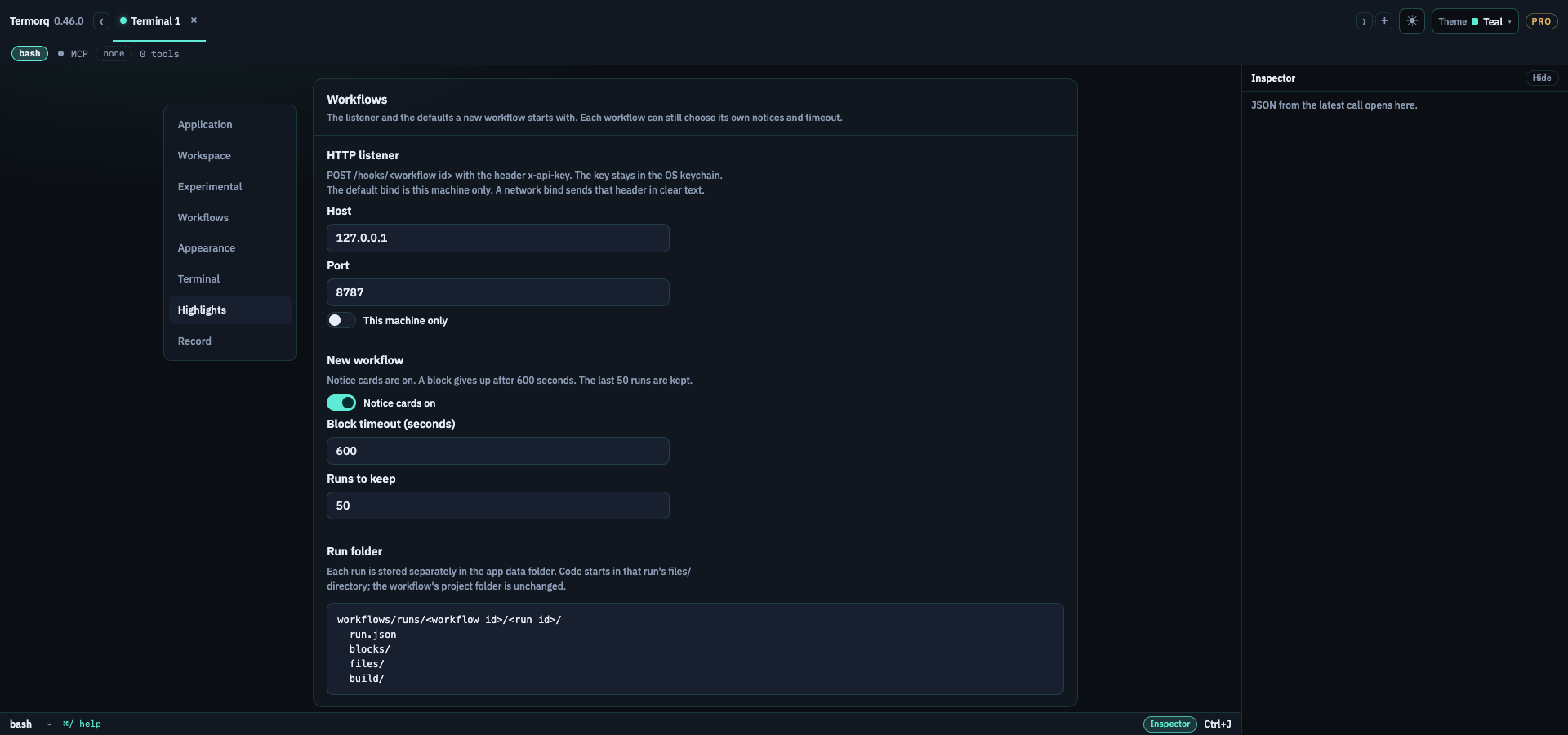
One listener serves every armed workflow. Settings → Workflows sets the bind. The defaults are host 127.0.0.1, port 8787, and This machine only. All interfaces binds the port on the network and the page says the x-api-key header travels in clear text. There is no TLS on this listener.
After you enable the HTTP trigger and save the workflow, the Triggers panel displays the key and offers Copy key. Termorq reads it from the OS keychain, account workflow-hook-<workflow id>. It is not in the YAML, run record, or picker. A missing key and a wrong key both answer 401 with an empty body. The key in the query string is ignored. A JSON body over 256 KiB is 413; another content type is 415; malformed JSON or a non-object body is 400. A valid object starts a run and returns 202 with { "run_id": "…" } while it continues. More than 30 requests a minute from one client is 429. The socket is open only while at least one workflow has this trigger armed.
curl -sS -D - -o /dev/null \
  -H "content-type: application/json" \
  -H "x-api-key: $TERMORQ_HOOK_KEY" \
  -d '{"text":"Hello from curl"}' \
  http://127.0.0.1:8787/hooks/refresh-acme-users
Replace $TERMORQ_HOOK_KEY with the key you copied from Triggers. Do not put the key in the workflow file.
The JSON body remains available as inputs.<name>. Supported trigger fields such as text are also available as trigger.<name>, so either this body or {"trigger":{"text":"Hello from curl"}} supplies trigger.text. For a code block that reads the HTTP text, add trigger.text to uses. TERMORQ_INPUT then contains the selected value under its declared path:
uses:
  - trigger.text
using System;
using System.IO;
using System.Text.Json.Nodes;
var path = Environment.GetEnvironmentVariable("TERMORQ_INPUT")
?? throw new InvalidOperationException("TERMORQ_INPUT is missing.");
var input = JsonNode.Parse(File.ReadAllText(path));
var text = input?["trigger"]?["text"]?.GetValue<string>() ?? string.Empty;
Console.WriteLine(new JsonObject { ["text"] = text }.ToJsonString());Telegram
Save bot settings checks the token with getMe and stores it in the keychain, account telegram-token-<id>. The YAML keeps the bot name, the chat allowlist, and an optional command. Enter the command with or without /; both match Telegram messages such as /refresh and /refresh@my_bot. A chat that is not on the list does not start a run. The first connect skips messages that were already waiting. The poll stops when you quit.
The Triggers panel shows the poll status, including Telegram API errors, allowlist or command mismatches, and the run id after a matching message starts a run. If the token field is empty and there is no active poll status, enter the bot token and choose Save bot settings. Keep Termorq open while you test it.
A message fills trigger.text, trigger.chat_id, trigger.message_id, and trigger.from_username. When a command is configured, trigger.args contains the text after the command. For example, /trigger hello world gives trigger.args the value hello world.
List every trigger value the block reads under uses. This Bash block reads the command arguments and returns them as a JSON text property:
uses:
- trigger.argspayload="$(jq -r '.trigger.args // empty' "$TERMORQ_INPUT")"
jq -n --arg text "$payload" '{text: $text}'The same block can use C# as a .NET single-file app. Top-level statements need no class or Main method:
using System;
using System.IO;
using System.Text.Json.Nodes;

var inputPath = Environment.GetEnvironmentVariable("TERMORQ_INPUT")
    ?? throw new InvalidOperationException("TERMORQ_INPUT is missing.");

var input = JsonNode.Parse(File.ReadAllText(inputPath));
var payload = input?["trigger"]?["args"]?.GetValue<string>() ?? string.Empty;

Console.WriteLine(new JsonObject { ["text"] = payload }.ToJsonString());
Declare text as a string in the block’s outputs schema if a later block needs it. Use trigger.text in uses and in the code when the block needs the full message, including /trigger. File triggers provide trigger.path and trigger.received_at.
Runs
Runs lists this workflow’s runs on this computer, with each run’s local date and time. The newest 50 are kept. The next one deletes the oldest directory. Select a row to Open folder, Resume, Edit rest, or Delete run. Delete asks first. Focus starts on Cancel. Delete removes that run’s folder, including files/.
A paused run can change blocks that have not started. Apply updates that run only. Edit workflow is Save on the score, and it changes the next run.
A run that was still marked running when the app quit is shown as stopped. The partial folder stays.
Notices
A card sits above the footer, separate from other toasts. One card per run, and at most two in-progress cards. It appears when the run starts, updates when the next block starts, and changes when the run fails or finishes. Success leaves after 6 seconds. A failure stays until you dismiss it. Progress is hidden while that run’s page is open. Failed and finished still show. The card text has no secret. Open returns to that run. These are not OS notifications.
Settings defaults
Settings → Workflows (Pro) holds the listener and the defaults a new workflow starts with. Each workflow can still choose its own notices and timeout.
| Setting | Default |
|---|---|
| Listener host | 127.0.0.1 |
| Listener port | 8787 |
| Network bind | Off |
| Notice cards | On |
| Block timeout | 600 seconds |
| Runs to keep | 50 |
| Code editor › Insert highlight clears after | 10 seconds |
| Code editor › Undo notice stays open for | 10 seconds |
Workflows › Code editor sets how long an Autogenerate insert stays tinted and how long its Undo notice stays open, each 1 to 60 seconds.
Search Settings for workflow, listener, or undo notice.