Start work from a ticket
From @work, pick an issue or work item you want to work on and press Start work. Termorq suggests a branch name, finds your local clone, and shows the exact git commands before it runs anything. It always branches from the remote’s default branch, never from your local main.
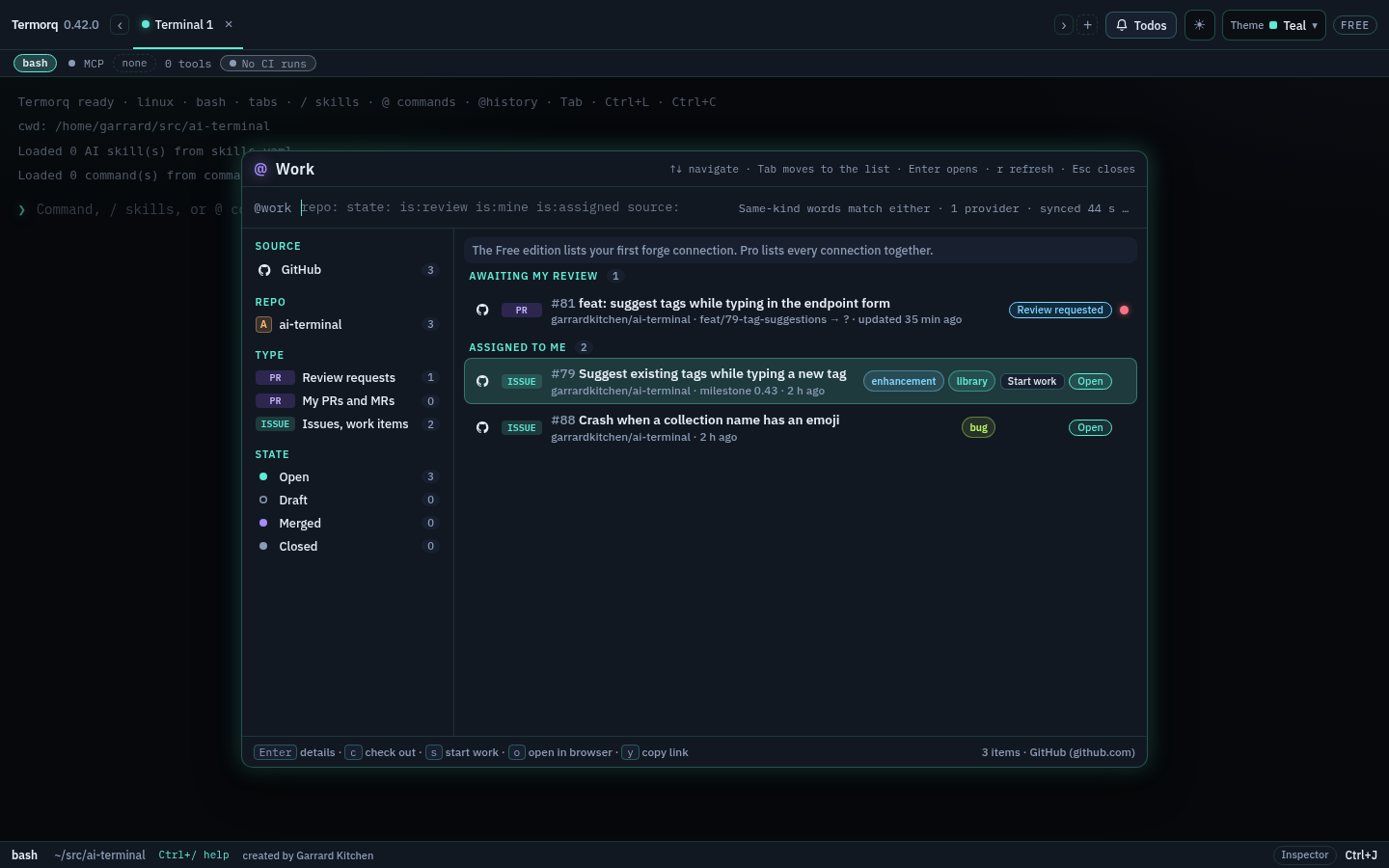
Start work is on GitHub issues, GitLab issues and Azure DevOps work items (pull and merge requests have Check out instead). Hover a row and click Start work, or select it and press s.
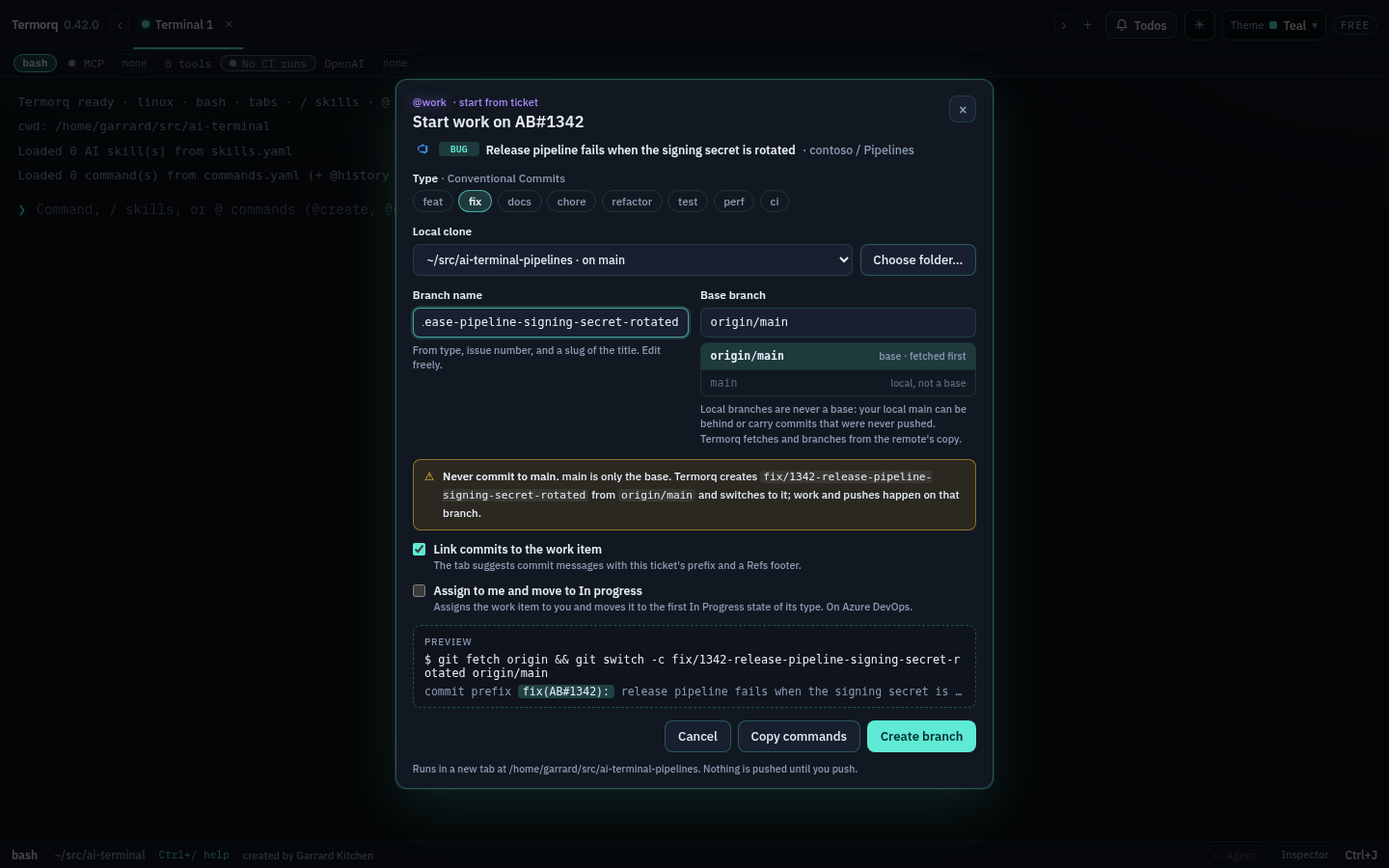
The form
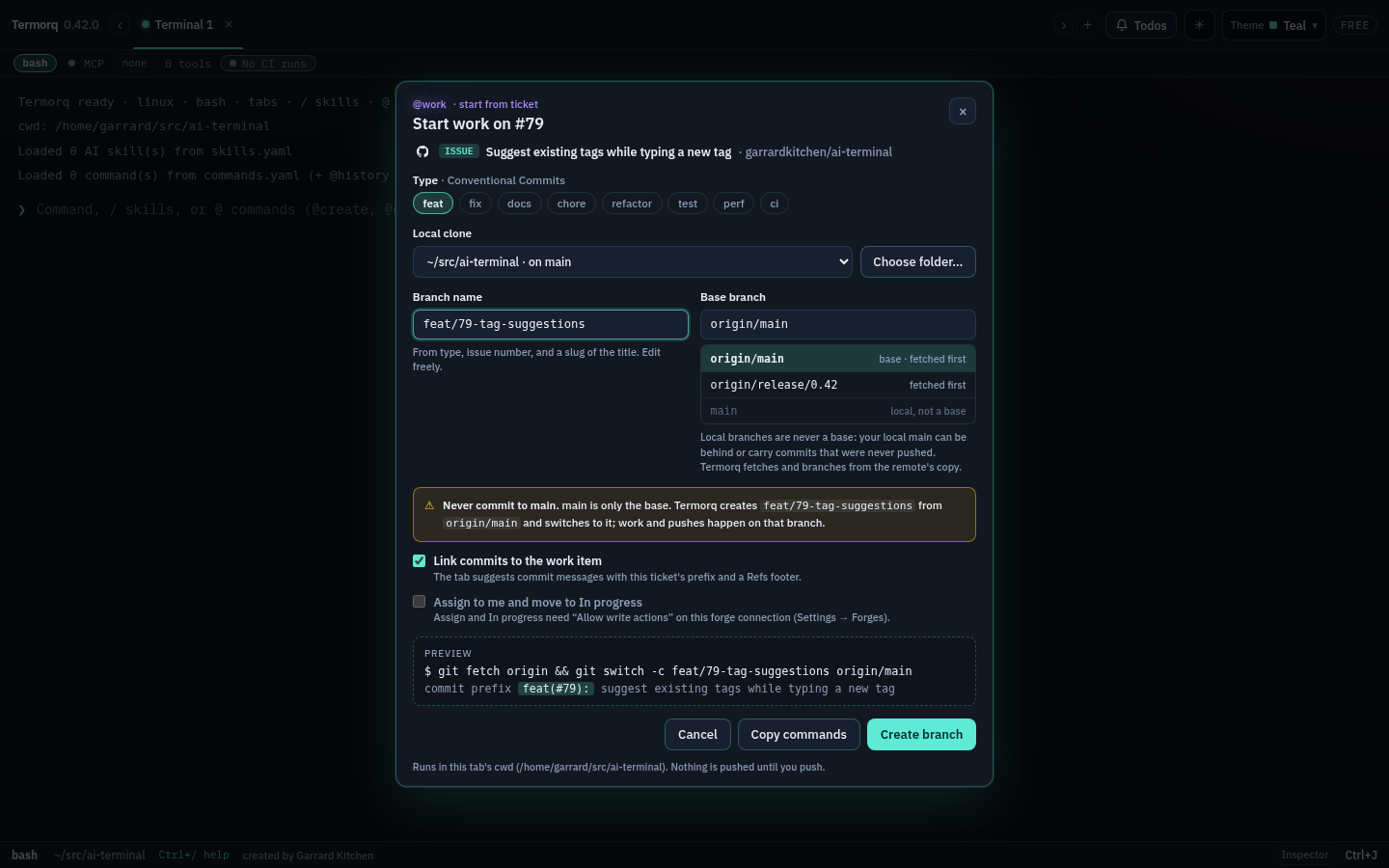
- Type sets the Conventional Commits type:
feat,fix,docs,chore,refactor,test,perforci. An Azure DevOps Bug or a GitLab incident is alwaysfix. Otherwise Termorq suggests one from the ticket’s labels first (bug→fix,enhancement→feat,documentation→docs,chore/dependencies→chore, andtype::bug-style scoped labels), then from its type (an Azure DevOps Bug →fix, Task →chore, User Story/PBI →feat). Hover the chip for why. Anything else isfeat. - Branch name is the type, the ticket number and a short slug of the title:
feat/79-tag-suggestions,fix/1342-release-pipeline-signing-secret-rotated. The slug is ASCII, at most six words and 40 characters, and drops filler words and a leadingfeat:or[Tag]. Edit it freely; once you have, changing the type no longer rewrites it. - Local clone lists clones of the ticket’s repository from your open tabs’ folders on this computer, folders next to them, and clones you started work in before. An SSH remote path is not one of those folders. Choose folder… adds another. Each shows its current branch and how many files are changed.
- Base branch is the remote’s default branch (
origin/main), fetched first. Other remote branches, such as a release branch, can be picked too. Your local default branch is listed greyed out and cannot be picked: it can be behind the remote or carry commits that were never pushed, so Termorq always branches from the remote’s copy.
Branch names may only use letters, digits, -, _, . and /, so the commands need no quoting in any shell. main, master, trunk, develop, production, the repository’s default branch and a branch that already exists in the clone are refused with the reason.
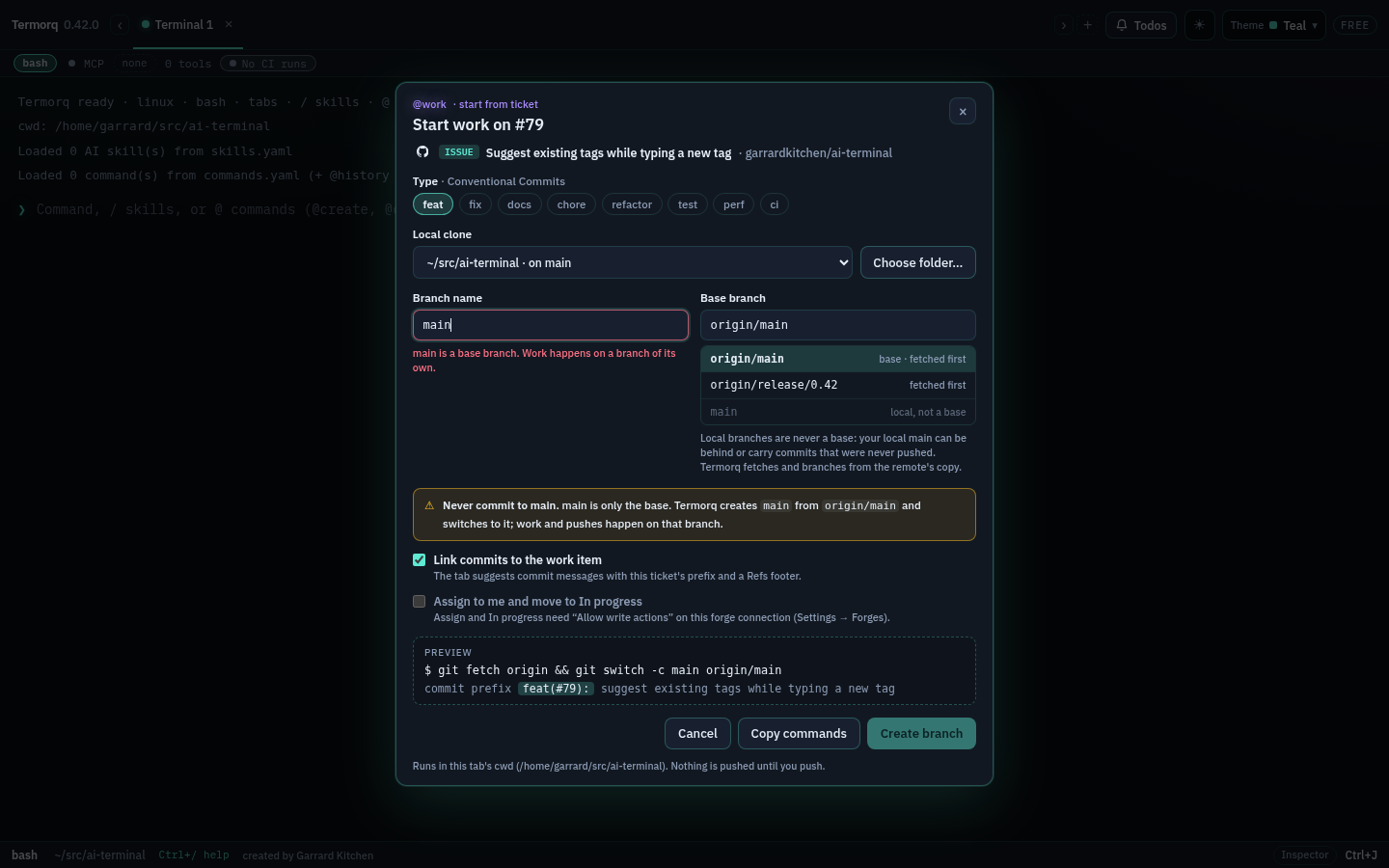
Assign to me and move to In progress
Tick Assign to me and move to In progress to claim the ticket after the branch is created. It needs Allow write actions on the forge connection; otherwise it is disabled and says why.
| Forge | Assign | In progress |
|---|---|---|
| GitHub | Adds you (the token’s user) as an assignee. | Adds the repository’s in progress label (or doing / wip if that is what the repository uses). |
| GitLab | Adds you to the assignees, keeping the others. | Adds the project’s Doing / In progress label, including scoped labels such as workflow::Doing. |
| Azure DevOps | Sets Assigned To to you. | Moves the work item to the first In Progress state of its type (for example Active or In Progress). Left alone if it is already in progress. |
The result appears as a notice. If the forge refuses part of it (for example, GitHub assigns only people with push access), the notice says which part.
Uncommitted changes
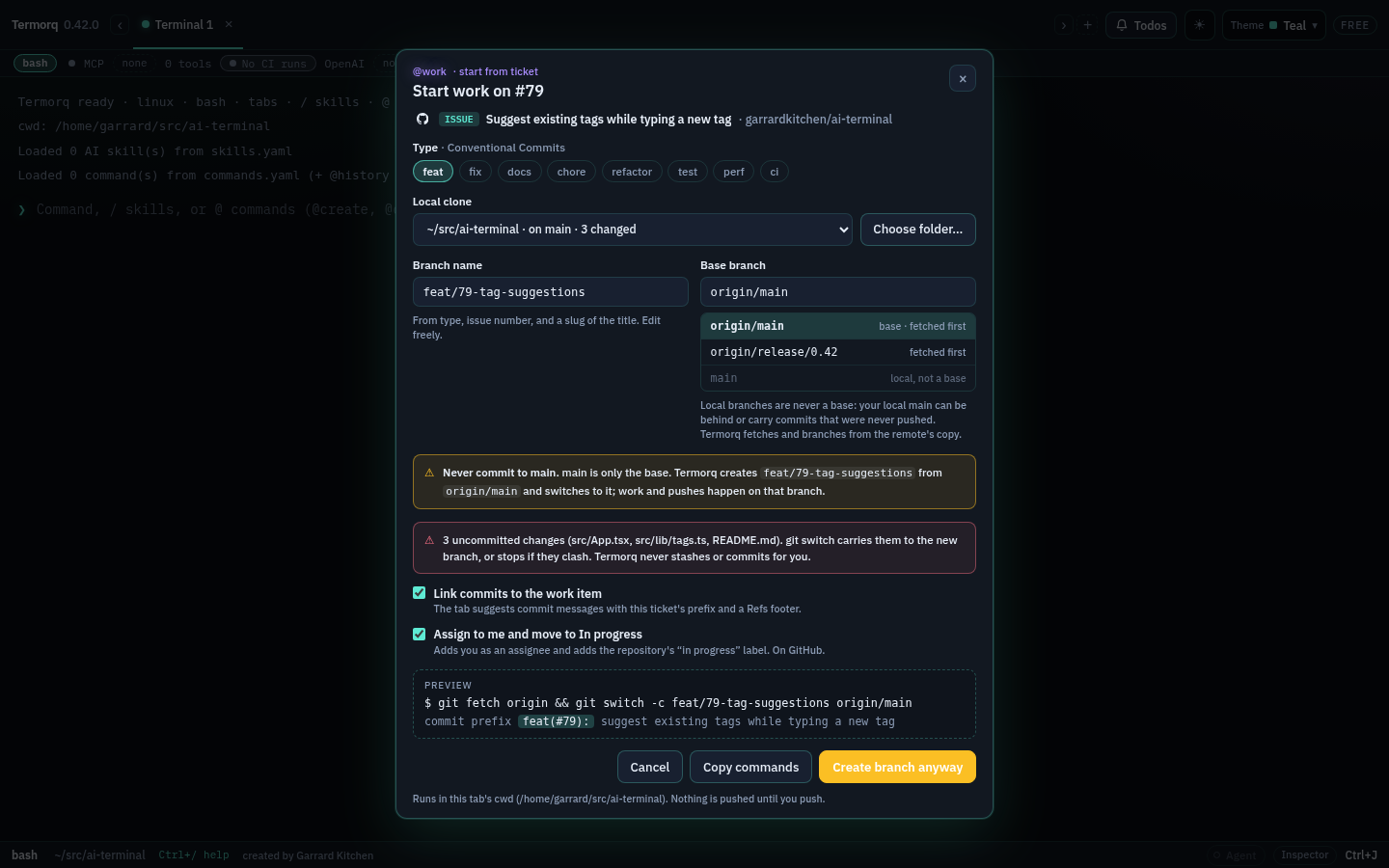
If the clone has uncommitted changes, the form lists them and the button reads Create branch anyway. git switch carries the changes to the new branch, or stops if they clash. Termorq never stashes, resets or commits for you.
What runs
The preview shows the exact commands, and Copy commands copies them:
git fetch origin && git switch -c feat/79-tag-suggestions origin/mainCreate branch runs them as a normal command line: in the current tab when its folder is inside the clone, otherwise in a new tab at the clone. Nothing is pushed; push when you are ready. Windows PowerShell 5 does not understand &&: there, use PowerShell 7 or copy the two commands and run them one at a time.
After you start
The tab remembers the ticket, and keeps it after a restart.
- The status strip shows a ticket chip (
#79 Suggest existing tags…) while the tab is on the ticket’s branch. Click it for the commit message, Insert commit command, Copy, Open ticket and Forget. - Type
git cat the prompt and the ghost suggests the whole commit command; press Tab to accept it:
git commit -m "feat(#79): suggest existing tags while typing a new tag" -m "Refs: #79"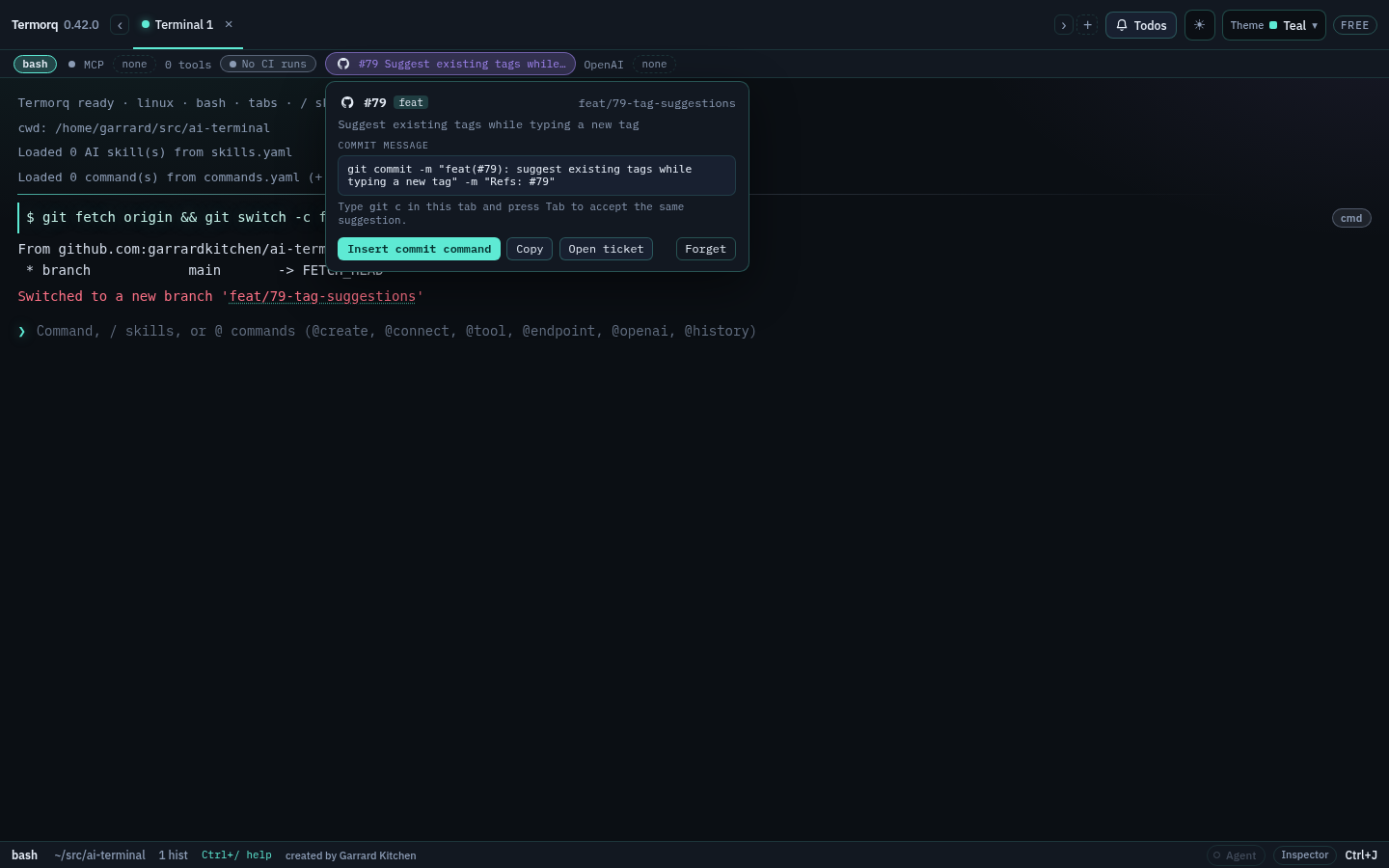
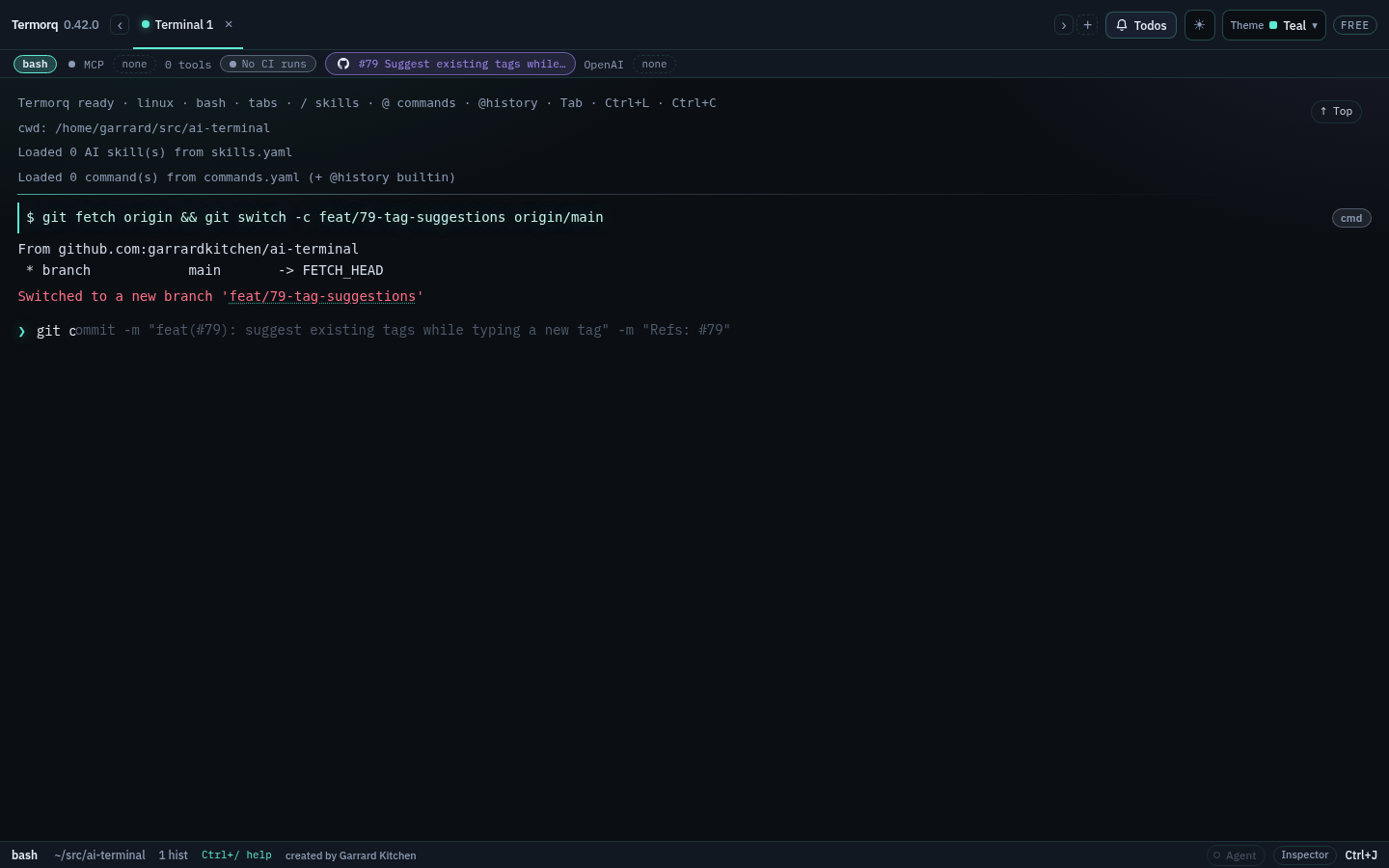
The prefix is the type with the ticket as its scope: feat(#79): , fix(AB#1342): . The footer links the ticket:
- GitHub and GitLab:
Refs: #79when the clone is the ticket’s repository, otherwise the ticket’s URL. - Azure DevOps:
Refs: #1342in an Azure Repos clone,Refs: AB#1342elsewhere (the form GitHub uses to link Azure Boards).
Untick Link commits to the work item in the form to leave the footer out.
Editions
Start work is in every edition (Free covers its one forge connection). See Editions.