Preferences
Settings on the rail, or the avatar, opens in the terminal column. The page says Saved on this machine.
Primary email
An address stored on this machine loads that Gravatar in place of the initials. If the address is empty, or Gravatar has no photo, the initials stay. The shot above shows GK.
Environments and customers
Add as many as you need, up to 40 of each. Each name has one of the seven tab colours.
| Action | Result |
|---|---|
| Add | The name appears in the header dropdown, and a new MCP server or API connection starts on that choice |
| Edit | The name changes everywhere a connection uses it |
| Swatch | The colour changes straight away |
| Delete, then Delete? | The name is removed. A connection that used it keeps working and shows no tag until you pick another |
The header shows Environment only when at least one environment exists, and Customer only when at least one customer exists. The choice is restored when the app opens.
Variables on an environment fill {{name}} in endpoints that use that environment. They are not secrets. Prod in the sample keeps region as {{REGION}} so a pipeline can set AIT_VAR_REGION.
Both lists and both choices are in localStorage key ai-terminal-settings. A team workspace stores the names, colours, and variables in environments.json.
Shell, folder, and font
| Setting | Effect |
|---|---|
| Shell | The default for every tab that has not picked its own. The browser build only lists System default until the desktop app can see what is installed |
| Start folder | Where new tabs open. Empty uses the first tab’s folder |
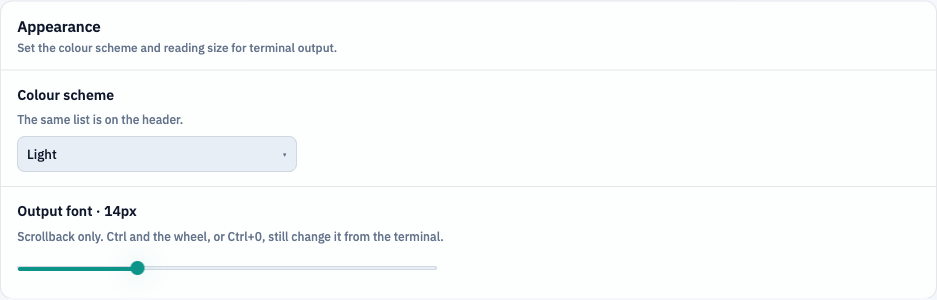
| Output font | 10–24px, default 14. Ctrl and the wheel, and Ctrl+0, change the same value from the terminal |
| Interactive programs | On by default. Off runs editors, ssh, and REPLs as plain output |
| Command times | Off by default. The Time button on the tab bar is the same switch |
History and models
On history select is Insert into prompt or Run immediately.
Interpret MCP tool responses with the LLM is off by default. When it is on, the tab’s OpenAI connection explains the tool JSON. A single call can still pass --llm. JSON and interpretation shows both. Interpretation only hides the JSON when the model call succeeds. A failed model call still shows the JSON.
Agent system prompt is used when Agent is on and the line is sent as chat. The tab’s folder, recent scrollback, and its tools are still included. Blank keeps the built-in chat instructions. This is not the system prompt stored on an OpenAI connection. That one is sent only when a tool result is interpreted.
Additional CA certificate
A .pem bundle, or a .crt, .cer, or .der file, for a corporate CA when HTTPS inspection is not in the operating system trust store. Certificate checks stay enabled. Restart the app after you choose a file. This does not disable verification.
Diagnostic logs
@logs opens the network panel beside the terminal. It is described on Find and export. The entries are memory only.