Keyboard
Cmd+/ on macOS, or Ctrl+/ on Windows and Linux, opens the shortcuts dialog. Press it again, or Esc, to close. The header hint (⌘/ help or Ctrl+/ help) opens the same dialog.
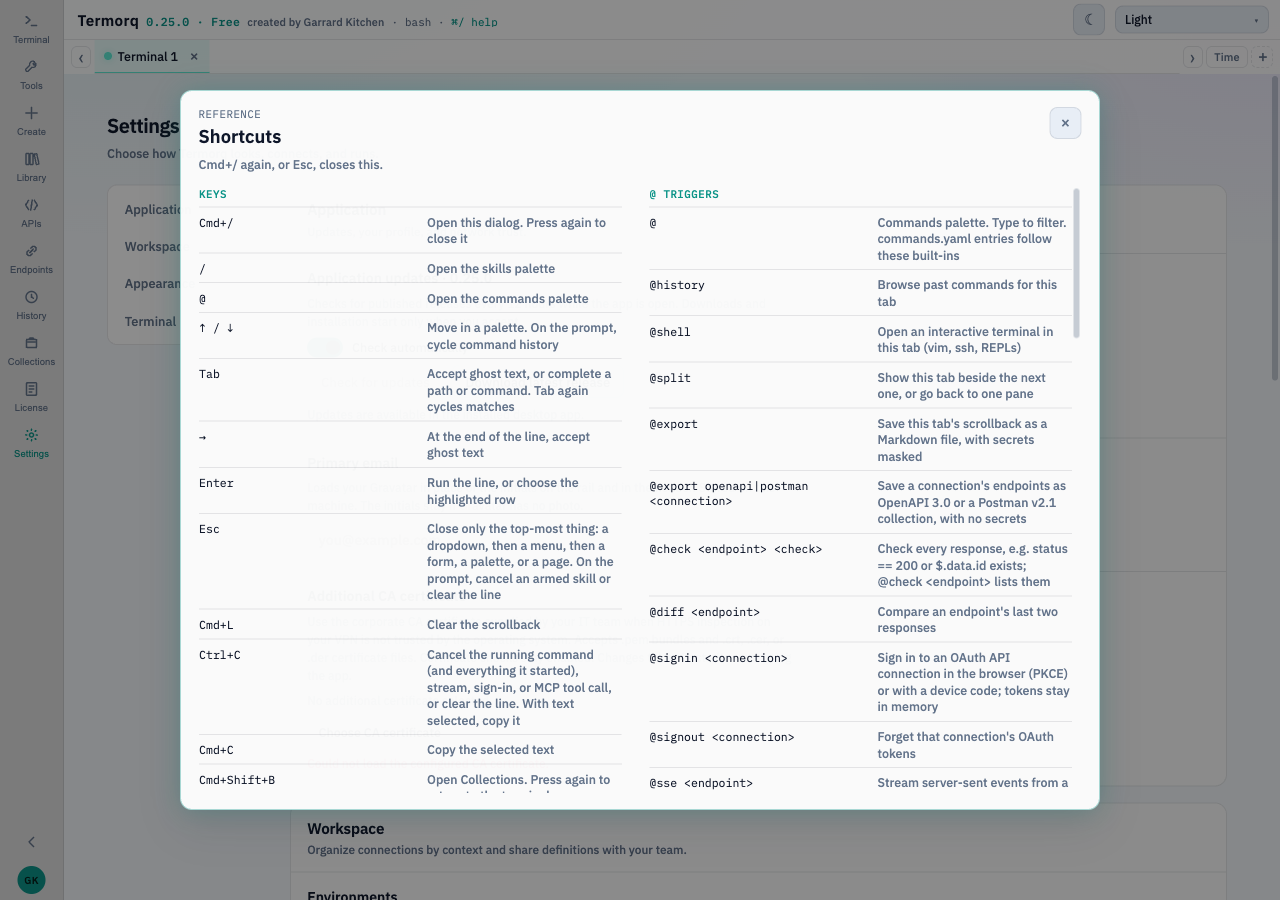
The labels below are the macOS ones from that dialog. Where a row says Cmd, Windows and Linux use Ctrl for that shortcut, except Ctrl+C, Ctrl+Tab, Ctrl+wheel, and Ctrl+0, which stay Ctrl on every platform. Ctrl+Shift+C copies inside the interactive terminal. On macOS the normal copy shortcut is Cmd+C.
Keys
| Key | Action |
|---|---|
| Cmd+/ | Open this dialog. Press again to close it |
/ | Skills palette |
@ | Commands palette |
| ↑ / ↓ | Move in a palette. On the prompt, cycle command history |
| Tab | Accept ghost text, or complete a path or command. Tab again cycles matches |
| → | At the end of the line, accept ghost text |
| Enter | Run the line, or choose the highlighted row |
| Esc | Close only the top-most layer: a dropdown, a menu, a form, a palette, or a page. On the prompt, cancel an armed skill or clear the line |
| Cmd+L | Clear the scrollback |
| Ctrl+C | Cancel the running command and its process group, a stream, a sign-in, or an MCP tool call, or clear the line. With text selected, copy it |
| Cmd+C | Copy the selected text |
| Cmd+Shift+B | Collections. Press again to return to the terminal |
| Cmd+Shift+L | Library |
| Ctrl+Tab · Ctrl+Shift+Tab | Next or previous tab, when no palette is open |
| Ctrl+wheel | Output font size, 10–24px |
| Ctrl+0 | Reset the output font to 14px |
| Cmd+F | Search this tab’s scrollback. Enter and Shift+Enter step through matches. Aa matches case. A JSON response has its own magnifying glass |
| Cmd+\ | Split with the next tab. Press again for one pane |
| Middle-click a tab | Close that tab. The last tab resets |
| Right-click a tab | Rename, colour, shell, split, export as Markdown, or close |
Inside an interactive terminal, keys go to the program. Ctrl+Shift+C copies and Ctrl+Shift+V pastes. End session stops it.
Printable page
This page is the cheatsheet. Print it from the browser. The dialog in the app is the same list, with the keys for the machine you are on.