Import and export
Two exports exist. One is a file another API client can open, with secrets replaced by placeholders. The other is an encrypted file for this app, and it can carry the secret.
OpenAPI and Postman, with no secrets
In @endpoint, tick endpoints of one API connection and choose Export OpenAPI or Export Postman. Or type:
@export openapi Users API
@export postman Users API
That exports every endpoint on the connection.
OpenAPI is 3.0 JSON. The base URL is the server. {{var}} becomes a server variable. There is one operation per endpoint, with its operationId, path, query, and header parameters, defaults as examples, and request body examples. GraphQL is a POST {query, variables} schema. A security scheme describes the auth kind: API key header, bearer, basic, OAuth client credentials, authorization code with PKCE, or device code in the description.
Postman is Collection v2.1. One request per endpoint, on {{baseUrl}}, with collection-level auth and {{placeholder}} values.
No secret is written. Sensitive header, query, and body values (authorization, token, key, secret, password, cookie) become {{name}} placeholders. Other secret-looking text is masked. The tenant, client id, and client certificate path are left out.
Encrypted .aitapi
Tick endpoint rows in @endpoint and choose Export. The default file name is endpoints.aitapi. The file holds those endpoints and each API connection they use, including the secret. OpenAI connections stay on this machine.
Encryption is Argon2id and AES-256-GCM, the same as .aitmcp. The password is at least 12 characters, is not a common password, and is not one character repeated. It is not stored. The file also stores each connection’s environment id and customer id. The names and colours stay in Settings on this computer. An older file has neither id.
Import on that footer opens a .aitapi file with the export password. Names match regardless of case. When an endpoint or connection of the same name already exists, the app lists those names and waits before replacing them. A replaced connection keeps its id, so endpoints that already use it stay linked. New names are added. Favourites in the file are restored. The secret is written back to the keychain.
Save dialogs start in Downloads. Export files are written with owner-only permissions.
Import from another client
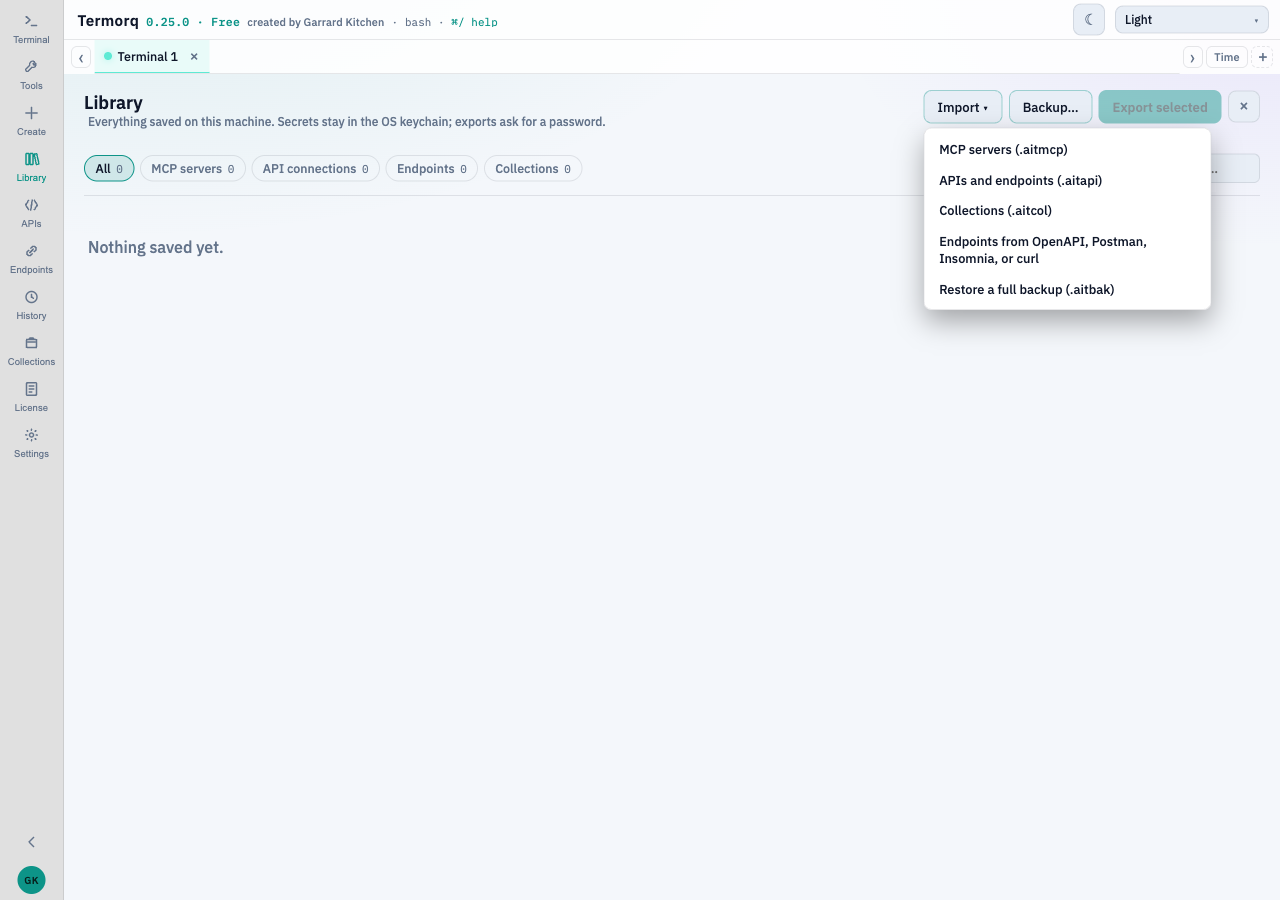
Library → Import → Endpoints from OpenAPI, Postman, Insomnia, or curl reads:
- OpenAPI 3 or Swagger 2, JSON or YAML
- A Postman v2.x collection
- An Insomnia v4 export
- A pasted
curlcommand
The preview lets you rename the API connection, set its base URL, and tick the endpoints to keep. Credentials are never imported: Authorization, cookies, API-key headers and query values, and curl -u. A note says what was left out. An existing connection with the same name is reused as it is.
Paste curl into the importer. Do not paste a live token into a page or a chat. The importer drops the credential and tells you it did.