Install and run
Termorq is a desktop app. Version 0.20.0 is the version in src-tauri/tauri.conf.json. The header, termorq-cli --version, and package.json read that same value.
You need Node.js 20 or newer, pnpm 10, and Rust 1.90 or newer (stable). Tauri 2.12 requires that Rust version.
corepack enable
corepack prepare pnpm@10 --activate
If the shell still cannot find pnpm, install it with npm: npm install -g pnpm.
macOS, Windows, and Linux packages
On macOS, install the Xcode Command Line Tools: xcode-select --install.
On Windows, install the Microsoft C++ Build Tools. WebView2 is already present on current Windows 10 and 11.
On Debian and Ubuntu the app links WebKit, GTK, and the secret service. termorq-cli links the same library and does not open a window, so a pipeline image needs these packages too.
sudo apt update
sudo apt install -y \
  build-essential \
  file \
  libwebkit2gtk-4.1-dev \
  librsvg2-dev \
  patchelf \
  libssl-dev \
  libgtk-3-dev \
  libayatana-appindicator3-dev \
  libxdo-dev \
  libsecret-1-dev \
  libdbus-1-dev \
  pkg-config
Open the app
From a checkout:
pnpm install
pnpm tauri dev
pnpm tauri dev is the app you use. It starts the shell, the keychain, and the file dialogs.
pnpm dev opens the same React window in a browser on port 1420. Invoke calls have nowhere to go, so the scrollback says the shell needs pnpm tauri dev. The rail, the header, and Settings still render. That is the shot below.
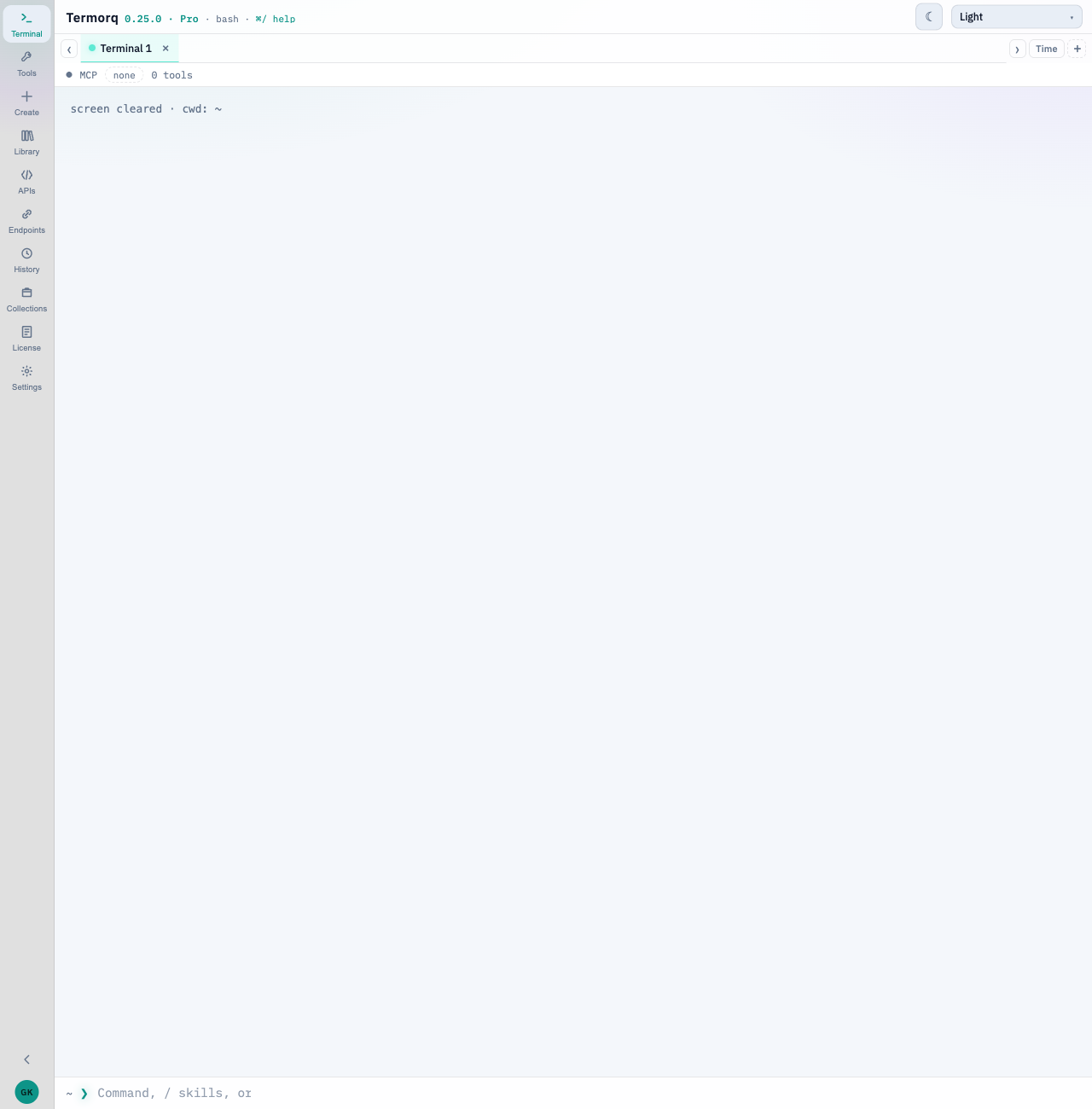
Published installers are on GitHub Releases. This build has an empty updater public key, so in-app installation is off. Updates explains the Settings switch and the release page.
Build termorq-cli
The headless runner is a second binary in the same crate.
cargo build --release --bin termorq-cli --manifest-path src-tauri/Cargo.tomlThe binary is src-tauri/target/release/termorq-cli. It prints termorq-cli 0.20.0. How to point it at a workspace is Run a collection.