Forges
Termorq connects to the code forges you already use: GitHub (github.com or GitHub Enterprise Server), GitLab (gitlab.com or self-managed) and Azure DevOps. It shows the work assigned to you, the pull requests waiting for your review and your pipelines, and tells you when one of them needs you. It all runs in the desktop app with your own token. There are no webhooks and no Termorq server.
What you can do
| What it is | Edition | |
|---|---|---|
| Connect a forge | Settings → Forges or @create forge. Paste a read-only token, test it, save it. The token goes to the OS keychain only | Free connects one forge; Pro any number |
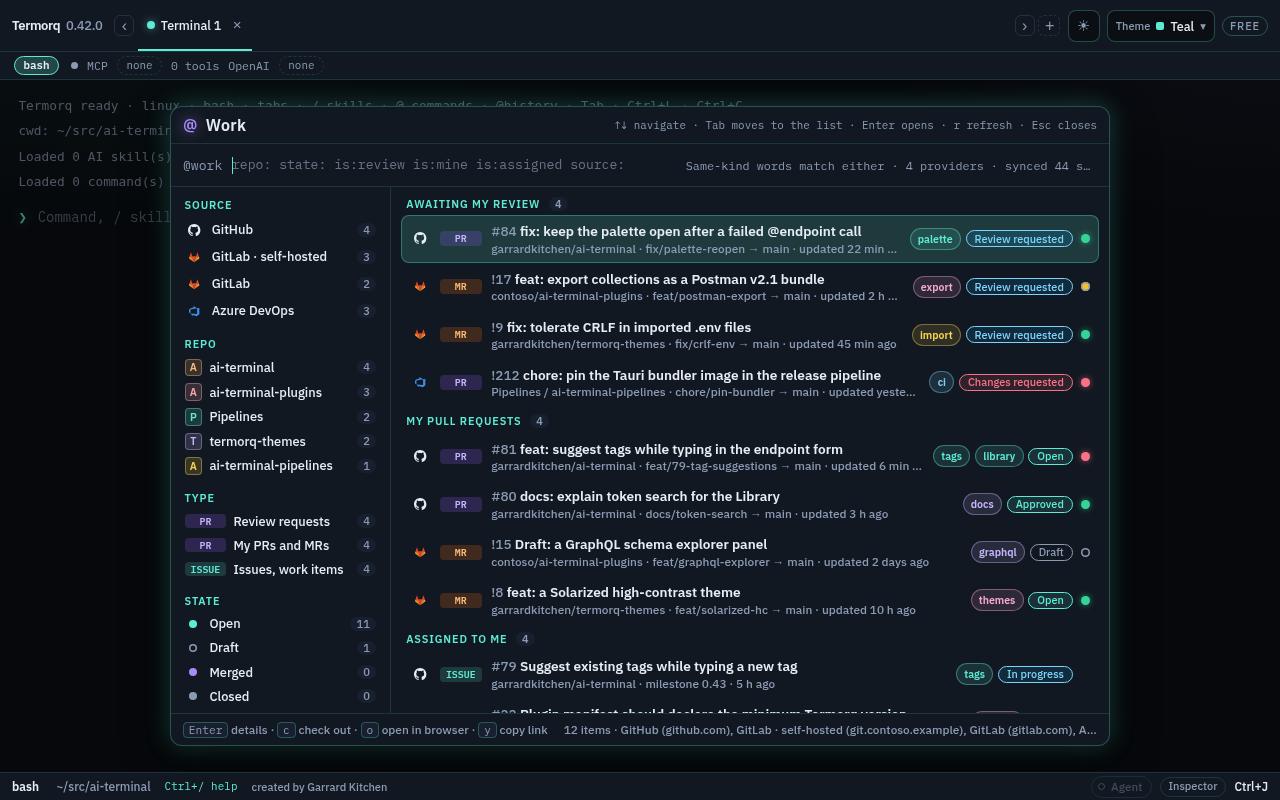
@work | Pull requests awaiting your review, your pull requests and your assigned issues and work items, with filter words and facets. Ctrl+Shift+K (Cmd+Shift+K) or @work | Free and Pro |
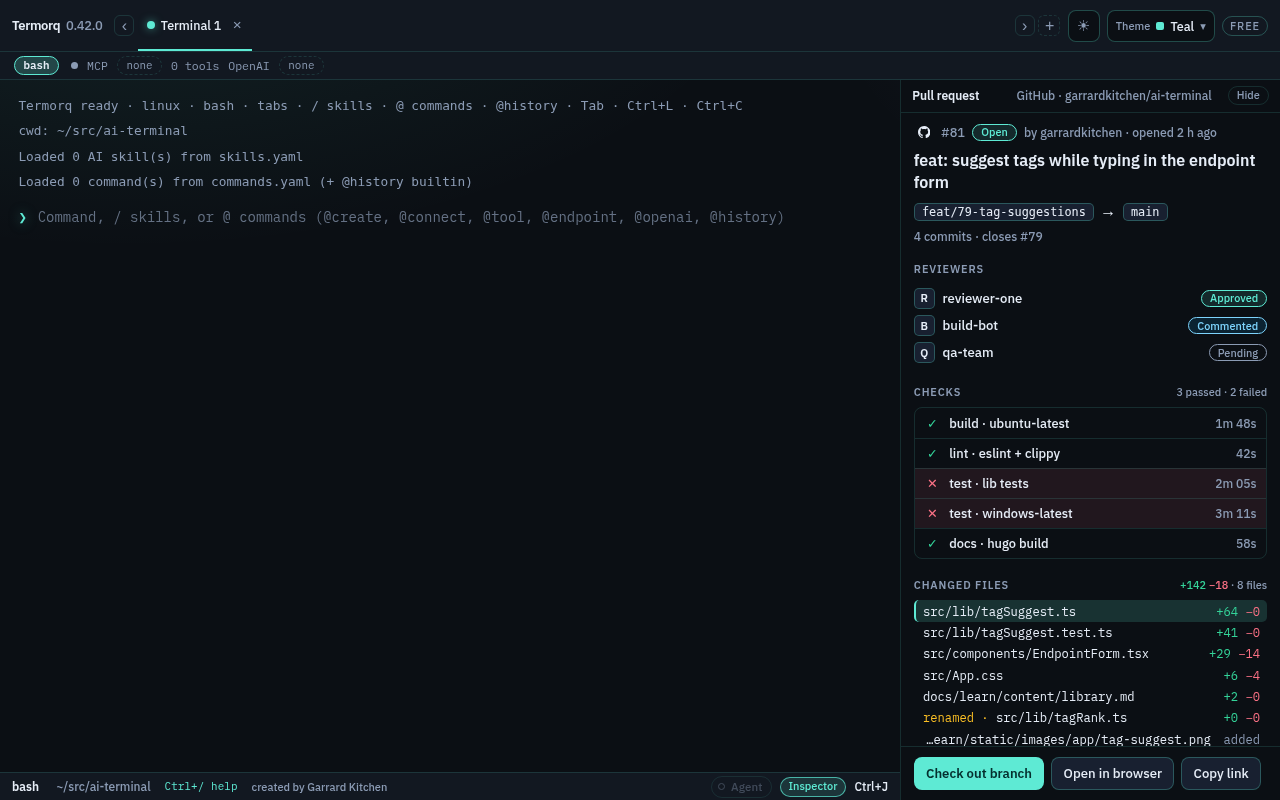
| Pull request detail | Description and comments as Markdown, commits, reviewers, checks, changed files and diffs in the Inspector, a Datadog section while feedback is still open, and Check out branch | Free and Pro |
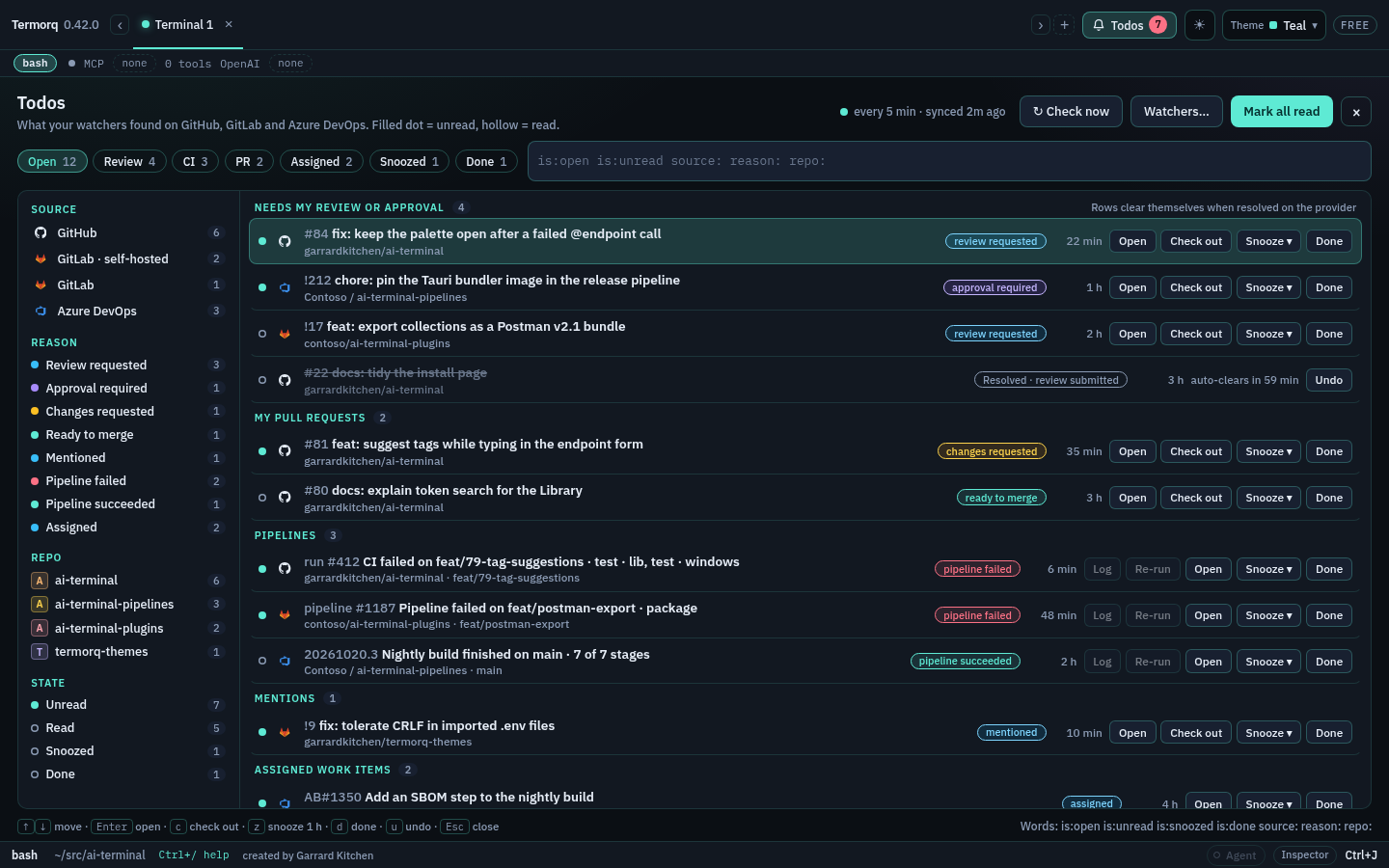
| Todos and watchers | Background checks that collect review requests, approvals, failed pipelines and assignments, with desktop notifications, quiet hours, Snooze and Done. Ctrl+Shift+O (Cmd+Shift+O) or @todo | Free and Pro |
| Run on trigger | When a watcher finds something new, ask, then run a command in a new tab at the repository’s checkout | Pro |
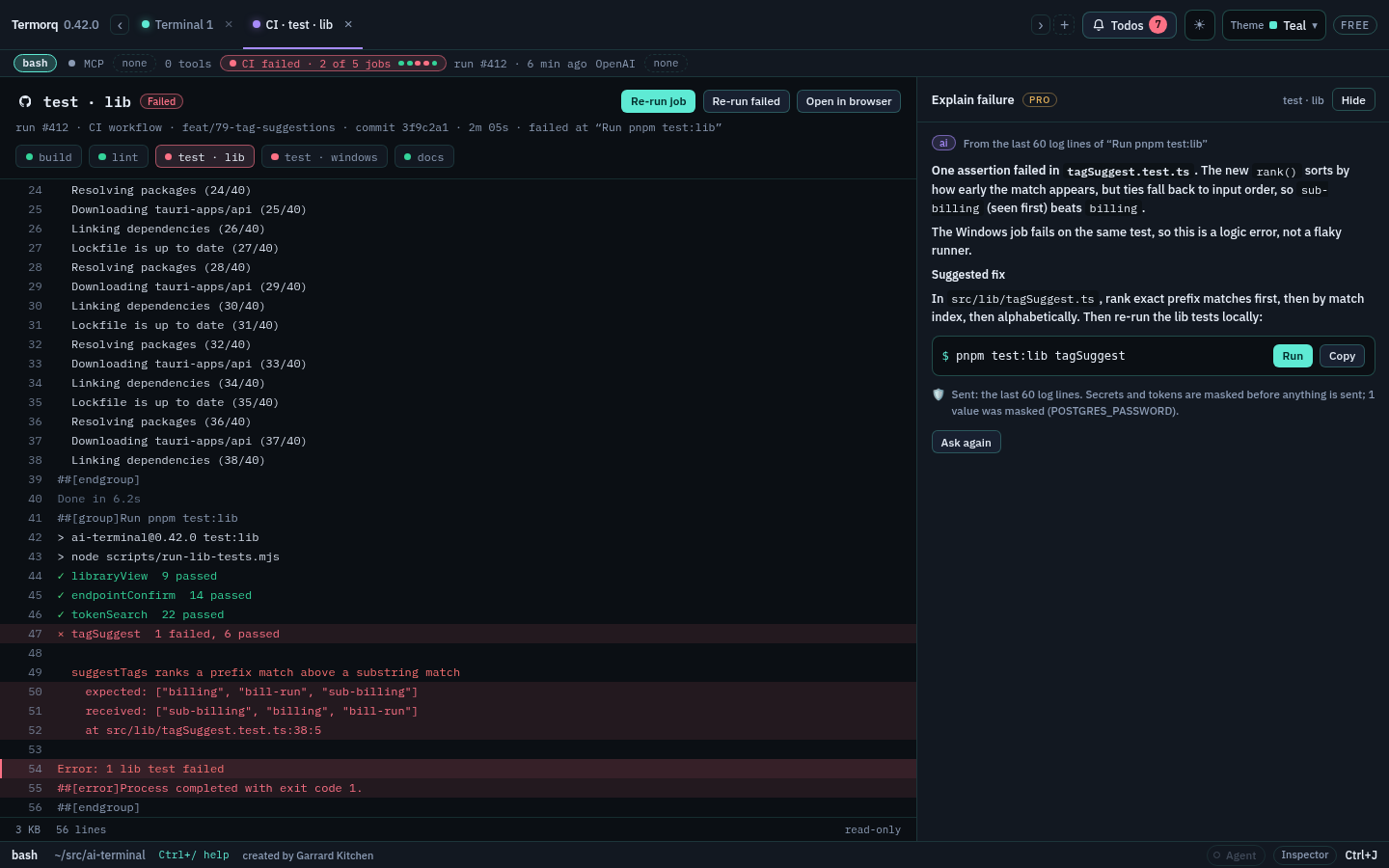
| CI status, logs and re-run | A chip for the current branch’s latest run, a job’s log in a read-only tab, and Re-run after asking | Free and Pro |
| Explain failure | The last 60 lines of a failed job’s log, secrets masked, sent to your own AI connection for the likely cause and a fix | Pro |
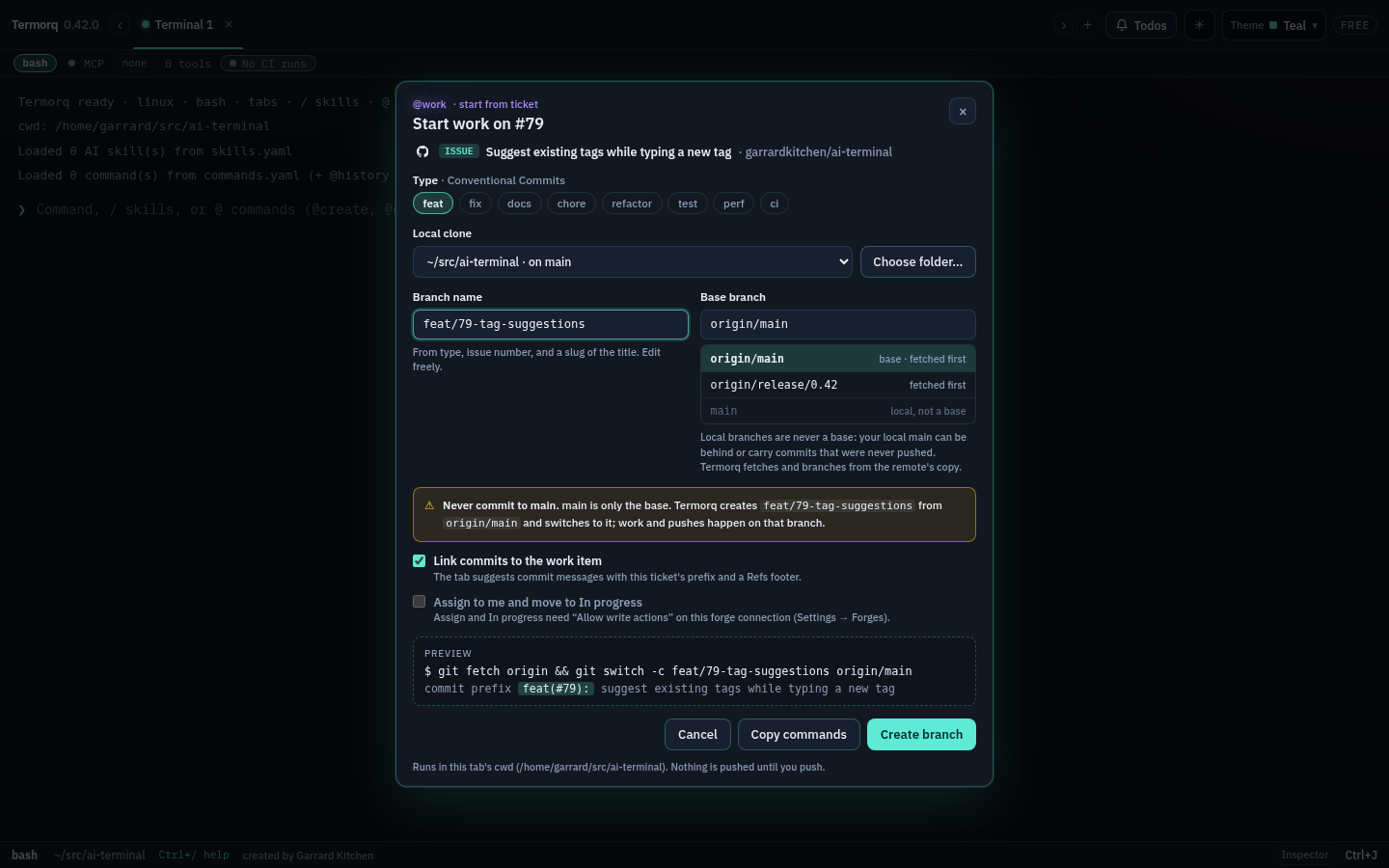
| Start work from a ticket | A branch from the remote default branch named after the ticket, with commit messages that link back to it | Free and Pro |
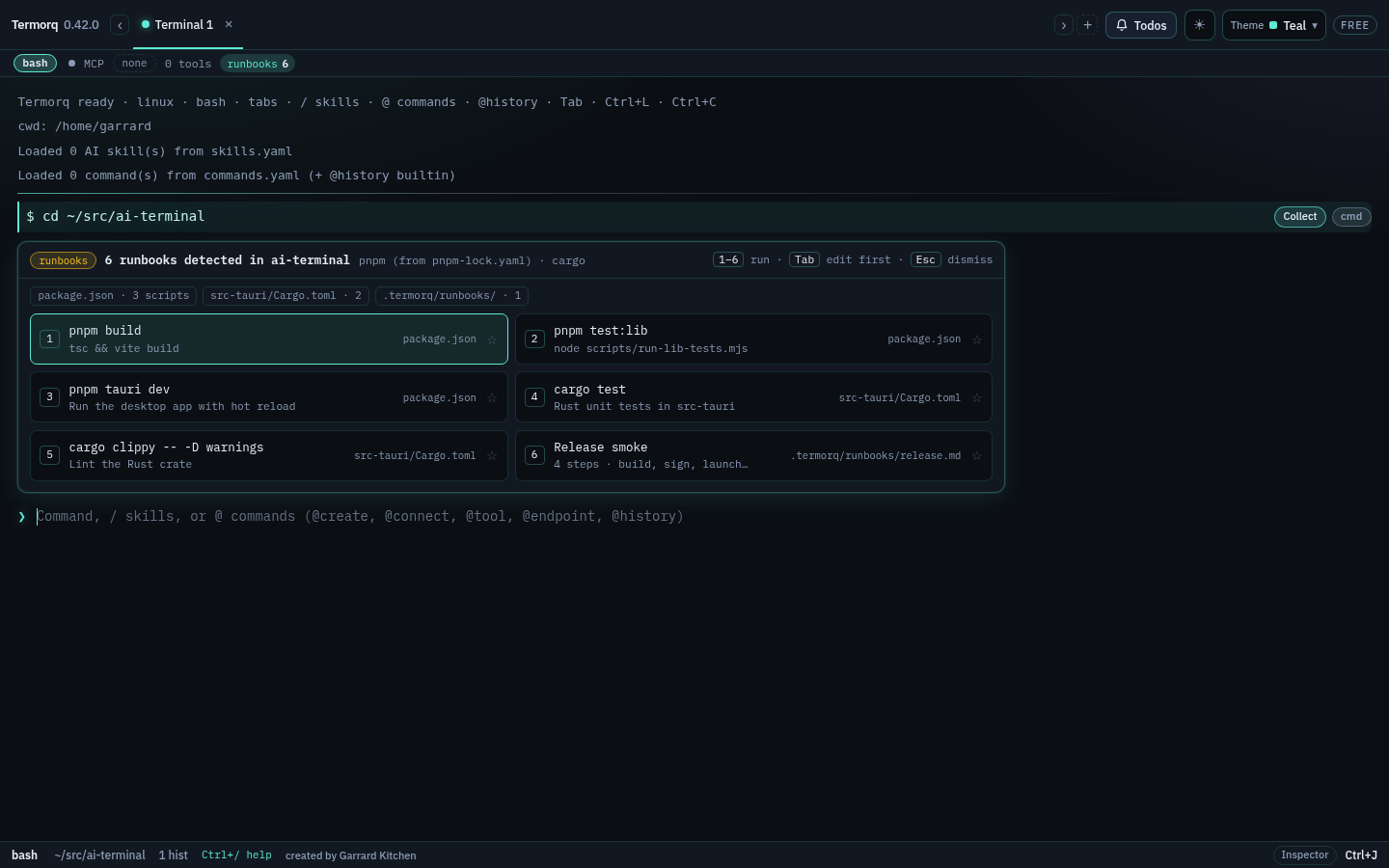
| Repo runbooks | The tasks a repository defines (package.json, Cargo, .termorq/, Makefile, justfile) one key away with @run | Free and Pro |
| Explain a failed command | The command, its exit code and the last 40 output lines, secrets masked, sent to your AI connection. A persistent shell sends the combined terminal text and leaves the fix in the prompt | Pro |
See Free and Pro for the full comparison.
A day with it
- See what needs you. The Todos badge in the title bar counts unread items. A failed pipeline on your branch, or a review request, arrives as a desktop notification. Turn on Hide titles in notifications when you share your screen.
- Review.
@work is:reviewlists the pull requests waiting for you. Enter opens one in the Inspector with its checks and diffs. c checks out its branch. - Start a ticket. Start work on an assigned issue creates
feat/79-tag-suggestionsfromorigin/mainand remembers the ticket, sogit commitsuggestsfeat(#79):and aRefs:footer. - Build and test. After
cdinto the repository, the runbooks strip offers its scripts: press 1 to build, Tab to edit a line first. - When something fails. The CI chip turns red. Open the job’s log in a tab, or ask Explain (Pro) for the likely cause. A failed shell command gets an ✦ Explain chip too.
Safe by default
- Tokens live in the OS keychain only. They are never written to settings, logs, exports or backups, and the window never receives one back. A private GitHub repository shows in
@workand Todos when that token can read it. A fine-grained token must list the repository. See Private repositories. - Read-only by default. Allow write actions is per connection and off; re-run, assign and clear-on-provider need it, and Termorq checks it again before each write.
- It asks first before a re-run, a branch switch, a run on trigger, or a repo runbook the first time per repository and for anything destructive.
- Explain masks secrets and tokens before anything leaves the app, says how many values it masked, and only uses the AI connection you chose. A suggested fix never runs by itself.
- Checks run only while the app is open, never on the UI thread. They use conditional requests, so an unchanged answer is a cheap 304, and they slow down in the background and on battery (Linux and macOS; Windows battery detection is not there yet).