Run as a runbook
Run as runbook on the Collections page runs that collection’s lines in the order shown, in the current tab. Favourites run first, then the rest, which is the same order termorq-cli run uses.
flowchart LR
  shelf[("Collection")]:::store
  fav["Favourites,\nthen the rest"]:::step
  stepn["Shell, endpoint,\nor tool"]:::out
  looked{"Check"}:::gate
  capture["Capture\nname = $.path"]:::step
  halt(["Stop"]):::exit

  shelf --> fav --> stepn --> looked
  looked --> capture --> stepn
  looked --> halt

  classDef store fill:#134e4a,stroke:#5eead4,stroke-width:2px,color:#f4fbfa
  classDef gate fill:#FFC131,stroke:#b45309,stroke-width:2px,color:#1a1404
  classDef step fill:#0f766e,stroke:#99f6e4,stroke-width:2px,color:#f4fbfa
  classDef out fill:#155e75,stroke:#67e8f9,stroke-width:2px,color:#f4fbfa
  classDef exit fill:#9f1239,stroke:#fecdd3,stroke-width:2px,color:#fff1f2
  linkStyle 0,1,2,3,4 stroke:#5eead4,stroke-width:2.5px
  linkStyle 5 stroke:#fb7185,stroke-width:2.5px
The run stops at the first failure:
- A non-zero shell exit
- Ctrl+C
- An HTTP 4xx or 5xx
- A tool or endpoint error
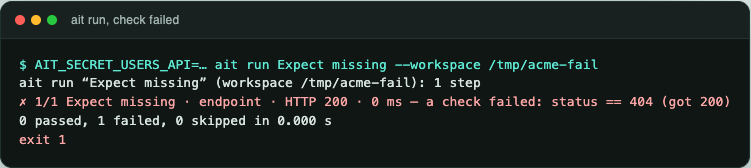
- A failed response check
Ctrl+C stops the runbook.
termorq-cli run is the same collection without the window. By default termorq-cli does not stop at the first failure. Pass --bail when you want that. Shell lines in termorq-cli also need --allow-shell. Tool lines in a collection are skipped by termorq-cli run. Run a collection has the transcript.
Capture
Capture on a line saves a value from its JSON response. Later lines use it as a placeholder.
method = $.method
id = $.data.items[0].id
A later line can say @endpoint Get user --id {{id}}. Captures are kept when a collection is exported and imported.
The sample workspace captures method = $.method on List users. The placeholder is filled for lines after that one.
Response checks
@check saves a rule that runs after every call to that endpoint. Each result shows ✓ or Check failed. A failed check stops a runbook.
@check List users status == 200
@check List users $.mock == true
@check List users $.name == "Ada"
@check List users $.tags contains "x"
@check List users $.items.length > 0
@check List users $.data.id exists
@check List users
@check List users clear| Form | Meaning |
|---|---|
@check <endpoint> <rule> | Save the rule |
@check <endpoint> | List the rules |
@check <endpoint> clear | Remove them |
A rule is status or a JSON path, then an operator.
| Operator | Example |
|---|---|
== != < <= > >= | status == 200, status < 400, $.name == "Ada", $.items.length > 0 |
exists missing | $.data.id exists. These take no expected value. status cannot use them |
contains | $.tags contains "x". status cannot use contains |
A quoted string is text. true, false, null, and numbers are JSON literals. A GraphQL response with a non-empty errors array is Check failed as well.
The last 10 responses of each endpoint stay on this computer, with secrets masked. @diff List users shows what changed between the last two.